
Operator console
owner, team, settings.
The console at /admin is where you sign in, invite your team, change the desk's main settings, store keys and read the audit log. It is built on the MIKODES Admin Kit and runs inside the desk's own server.
01Create the owner account
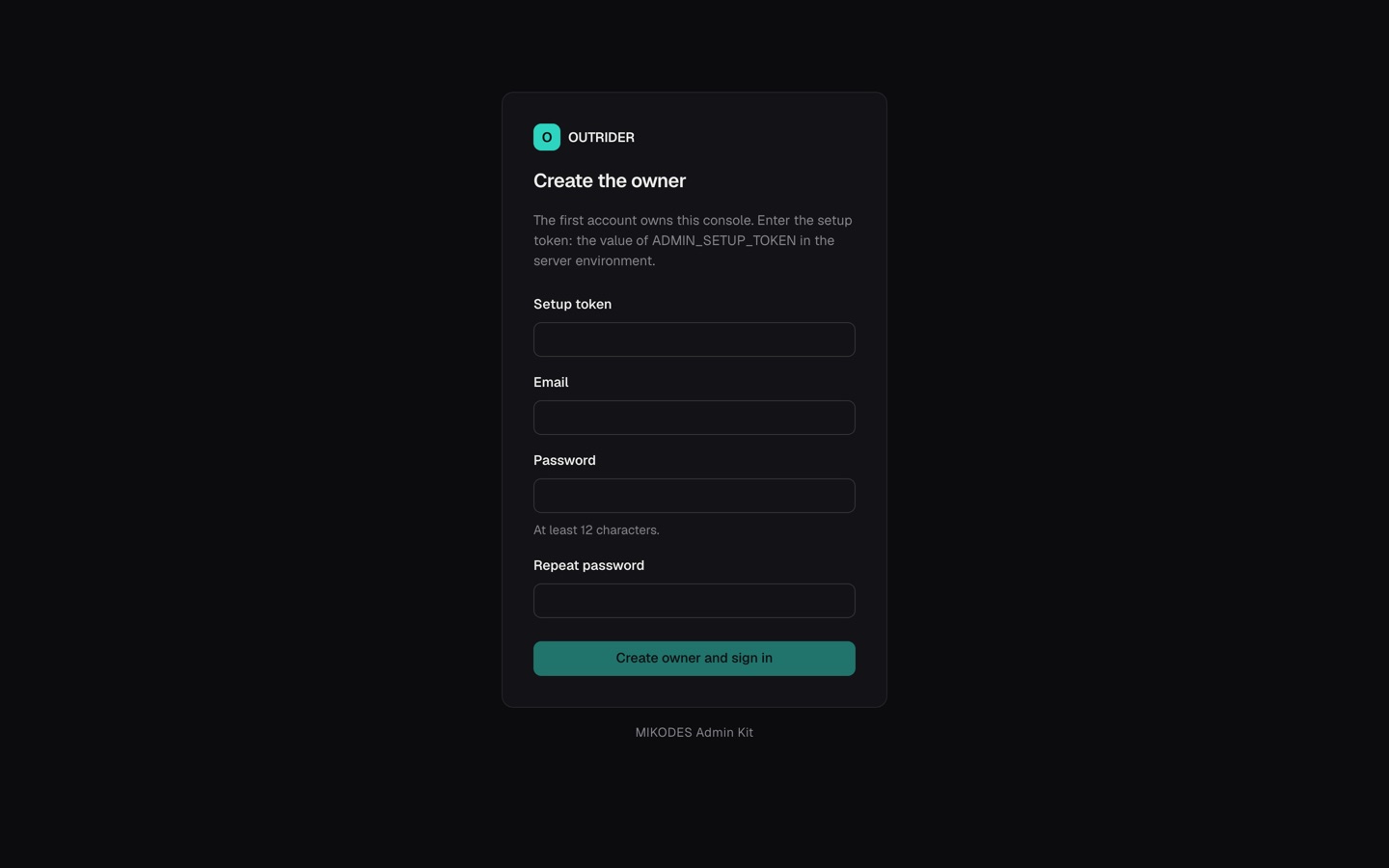
- Set a setup tokenPut a long random value in
.env:ADMIN_SETUP_TOKEN=followed by the output ofopenssl rand -hex 24(at least 24 characters). Only someone who can read the server's environment knows it. - Start the deskAfter
npm run build(once), runnpm start(ornpm run dash). The terminal prints:[admin] No owner account yet. Open /admin and create it with the setup token from ADMIN_SETUP_TOKEN. - Open the consoleGo to
http://127.0.0.1:8790/adminon the same machine. - Create the ownerEnter the setup token, your email and a password of at least 12 characters. You are signed in as owner, and from then on nobody can create an owner again. Remove
ADMIN_SETUP_TOKENfrom.env. - Finish setupThe console walks you through the setup fields (mode, product name, accent colour). Anything you skip can be changed later.
Without ADMIN_SETUP_TOKEN, every start before the owner exists prints a one-time setup code to the terminal instead, and the console asks for that code. Any printed code works until the owner is created. Without the token or a code, creating the owner is refused.
The dashboard answers only requests made on the machine itself (a loopback address such as 127.0.0.1), so create the owner there or through an SSH tunnel. /admin stays reachable, and creating the owner needs the setup token (or a printed setup code). After the owner exists, every dashboard page and API needs a console session: the dashboard sends you to /admin/ to sign in.
02Team and roles
| Role | Can |
|---|---|
| viewer | Sign in and watch: the dashboard, settings, health, history and audit log. Viewers cannot change settings or use the kill switch. |
| manager | Everything a viewer can, plus: change settings, engage and release the kill switch, test keys, see the team list. |
| owner | Everything, plus: add and remove members, change roles, set or replace secret keys, roll back to an older settings version, export and import settings. The last owner cannot be demoted. |
An owner adds a member in Team with an email and a role. The console shows a one-time password for that member once; send it to them over a private channel. They change it after signing in.
03Sign-in security
- Two-factor. Every member can turn on an authenticator app (TOTP) in Account. You get 8 one-time recovery codes; keep them offline. The owner can require two-factor for owners and managers in the kit settings; members without it are then asked to enrol before they can act.
- Lockout. After 5 failed sign-ins within 15 minutes, that account waits before it can try again.
- Sessions. A session lasts 12 hours. You can see your sessions and sign them out, one by one or all at once. The cookie is
HttpOnly,SameSite=Strict, andSecurewhen the console is reached over HTTPS. - Password change signs out your other sessions.
04Settings sections
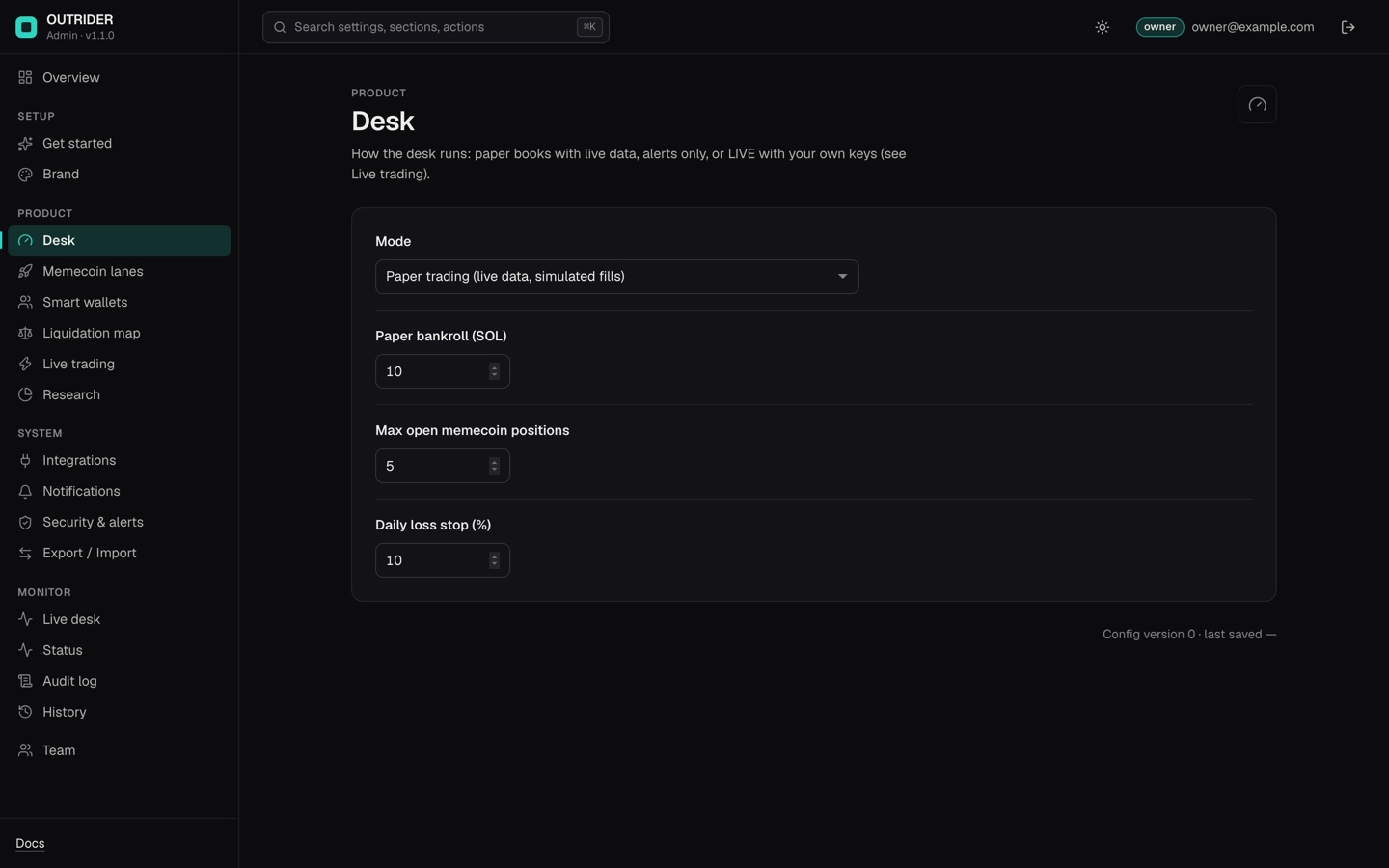
A field-by-field guide of what you can change without code: Change it without code. Settings are grouped as defined in src/admin/manifest.ts. The desk sections are read by the running desk at start and applied again right after every save: no restart needed, except where noted. Sections and fields of an optional module appear only while that module is on in config.json.
| Section | Fields | Effect on the desk |
|---|---|---|
| Desk | Mode (Paper trading, Alerts only, LIVE), paper bankroll (SOL, default 10), max open memecoin positions (5), daily loss stop (10 %) | Live; a Mode change to or from LIVE waits for a restart |
| Memecoin lanes | On/off and ticket size (% of paper equity) for moonshot (1 %), graduation (1.5 %), revival (1 %) and smart money (1 %). Ticket range 0.1–5 %. | Live (Memecoin lanes) |
| Smart wallets | Rounds before a wallet can be smart (8), minimum mean hold in seconds (60), live candidate feed URLs, smart wallets needed for a consensus (3) | Live (Smart wallets). Feed URLs must start with https://. |
| Liquidation map | Background refresh on/off, coins, accounts read per refresh (2,000), refresh every N minutes (30), alert distance (1.5 %), minimum cluster size for alerts (USD 5,000,000) | Live (Liquidation map) |
| Research | Background research refresh on/off, wallet book every N minutes (60), backtests and lane replay every N hours (24) | Live (Research refresh) |
| Trend & leverage (perps module) | Leverage profile: safe, growth (default), aggressive | Live (Leverage) |
| Live trading | Confirmation sentence, dry run, pump.fun on/off, max per buy and fee reserve; with the perps module also Hyperliquid on/off, testnet, per-order and exposure caps | Applies after a restart; see Live trading. |
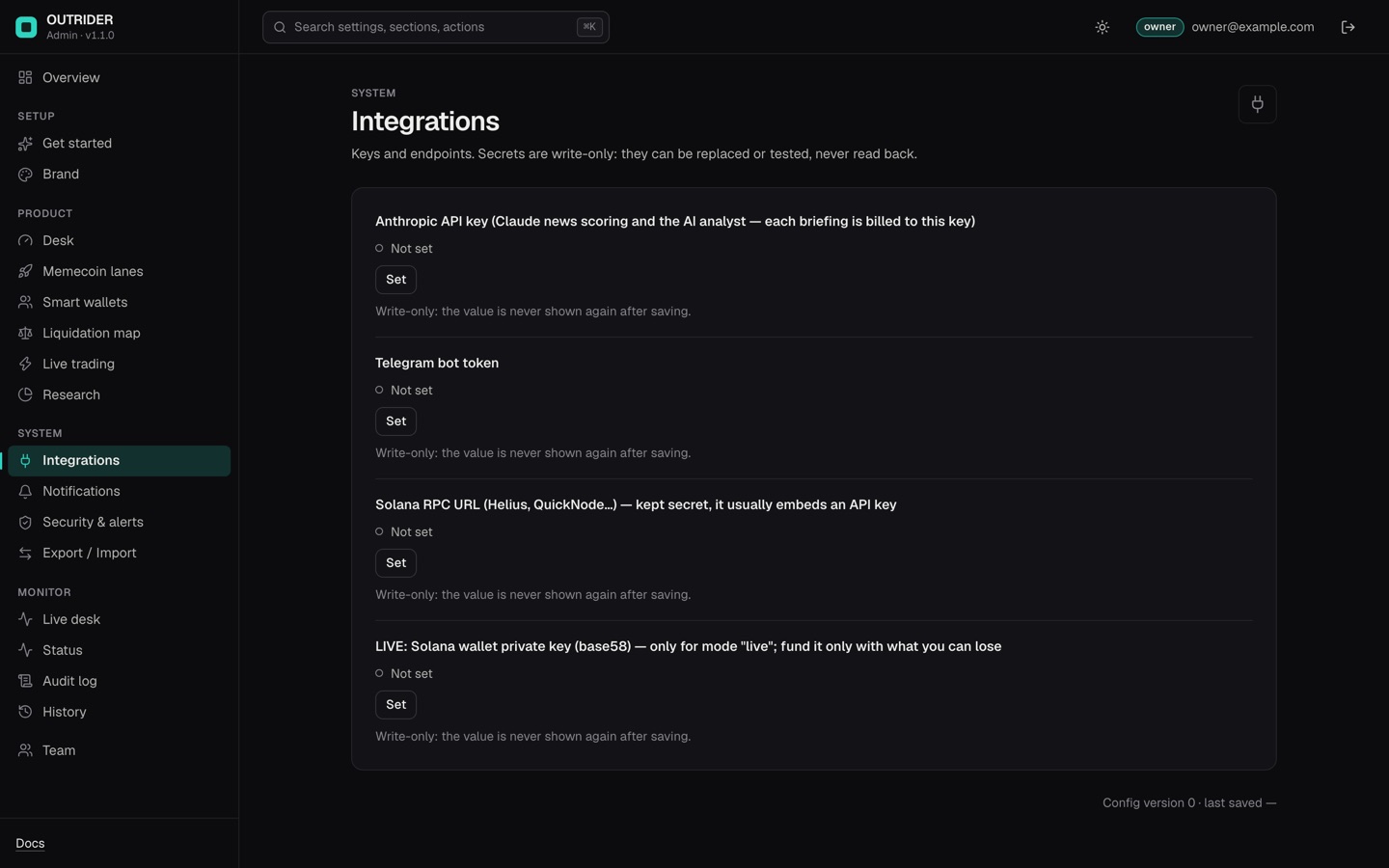
| Integrations | Anthropic API key, Telegram bot token, Solana RPC URL, and for live trading the Solana wallet key; the TypeSafe Jev API key with the jev module; the Hyperliquid API wallet key and account address with the perps module — all are secrets (encrypted, owner-only) | Applied at start and on save. The RPC URL sets solanaRpc and the pump.fun WebSocket (details). |
| Brand | Product name, accent colour, logo | The name, accent and logo (PNG, JPEG or WebP) replace OUTRIDER's in the dashboard header, page title and footer, and the name heads the Telegram replies and the start message. |
| Notifications | Webhook URL, webhook signing secret | The console can POST signed alerts to your HTTPS webhook when a blocker health check fails (turn it on in the kit settings). Desk trade alerts go to Telegram. |
A Desk, Memecoin lanes, Smart wallets, Liquidation map or Trend field overrides config.json only once you change it from its console default. Desk → Mode and the Live trading section are the exception: while the console runs they always decide, defaults included. The full mapping is in Configuration.
05Keys and secrets
- Secret fields are write-only: they can be replaced or cleared (owner) and tested (manager or owner; the Telegram token test calls Telegram's
getMe), never read back. - If the matching environment variable is set (
ANTHROPIC_API_KEY,TELEGRAM_BOT_TOKEN,TYPESAFE_API_KEY,SOLANA_PRIVATE_KEY,HL_API_WALLET_KEY,HL_ACCOUNT_ADDRESS), it wins and the field is locked in the console. The TypeSafe and Hyperliquid fields are part of an optional module and are only shown, and locked, while that module is on. - Stored secrets are encrypted with the console's secret key:
ADMIN_SECRET_KEYfrom the environment, or a key generated once intodata/.admin-secret-key(file mode 600). The algorithm is AES-256-GCM. Without that key, stored secrets cannot be read: keep a copy separate from yourdata/backup (Secrets and backups).
06Health, metrics and the live desk
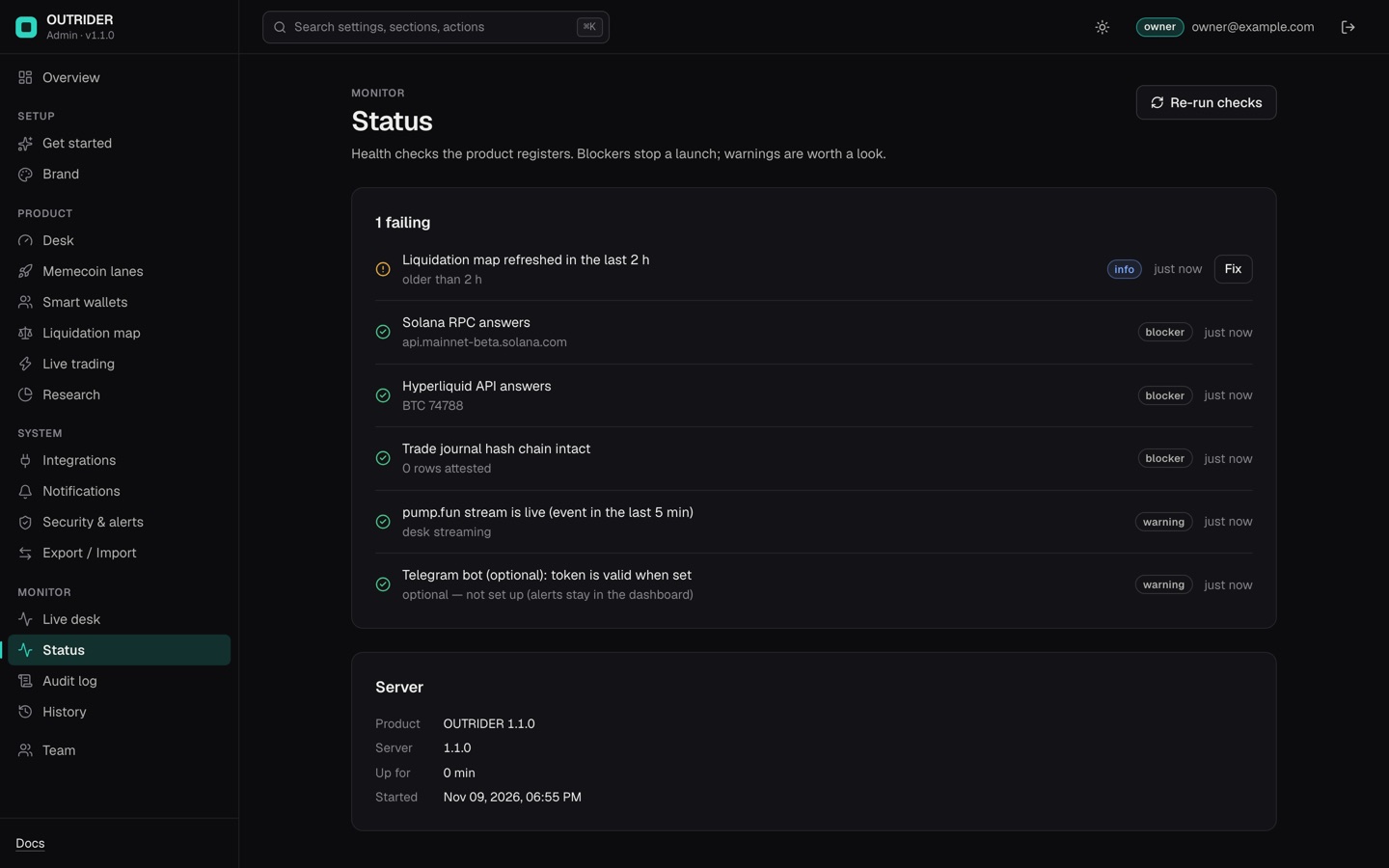
| Check | Severity | Passes when |
|---|---|---|
| Solana RPC answers | blocker | getHealth returns ok on your solanaRpc |
| Hyperliquid API answers | blocker | The info API returns prices |
| pump.fun stream is live | warning | An event in the last 5 minutes |
| Trade journal hash chain intact | blocker | The journal verifies (verify) |
| Liquidation map refreshed in the last 2 h | info | data/liqmap.json is younger than 2 hours |
| Telegram bot token is valid | warning | Telegram accepts the token |
Metrics: paper equity (SOL), closed paper trades, win rate, wallets tracked, smart wallets, and positions on the liquidation map. These are paper figures, not earnings. The Live desk page shows the dashboard inside the console.
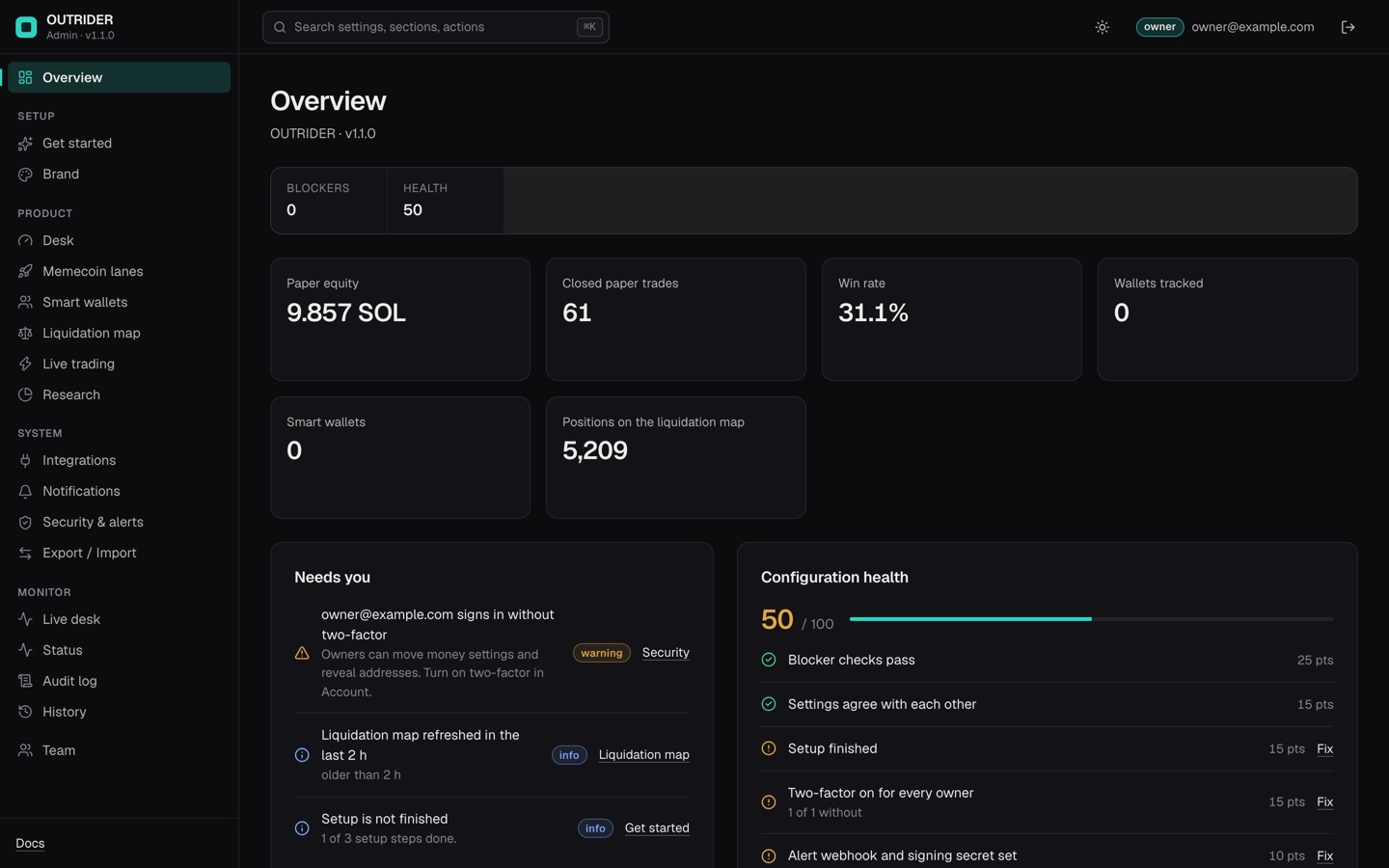
src/web/demo-data.mjs) and a liquidation map built on 9 Nov 2026. Every figure is a paper or data count, not money. There is no revenue panel: the desk has no money module. Two-factor is not switched on in this picture, so Needs you lists it.07Audit log, history and export
- Audit log. Every sign-in, sign-out, password change, settings change (secrets shown only as set/cleared), secret test, team change and alert is written with who, when and what. Every member can read and filter it; an owner can download it as CSV.
- History. Every save is a version. An owner can compare two versions and roll back; secrets and environment-locked values are not rolled back.
- Export and import. Owners can export the settings to a file and import them on another install (with a preview first).
08Running without the console
DESK_ADMIN=0 npm start starts the desk and dashboard without the console. Then config.json is the only source of settings, and the dashboard has no sign-in: protect it with DASH_TOKEN and keep it on 127.0.0.1. DASH=0 turns off both dashboard and console.