
Rebranding
your name on the desk.
What the console changes while the desk is running, and the places OUTRIDER's own name and icon are left in the source.
01Name, accent and logo, without a rebuild
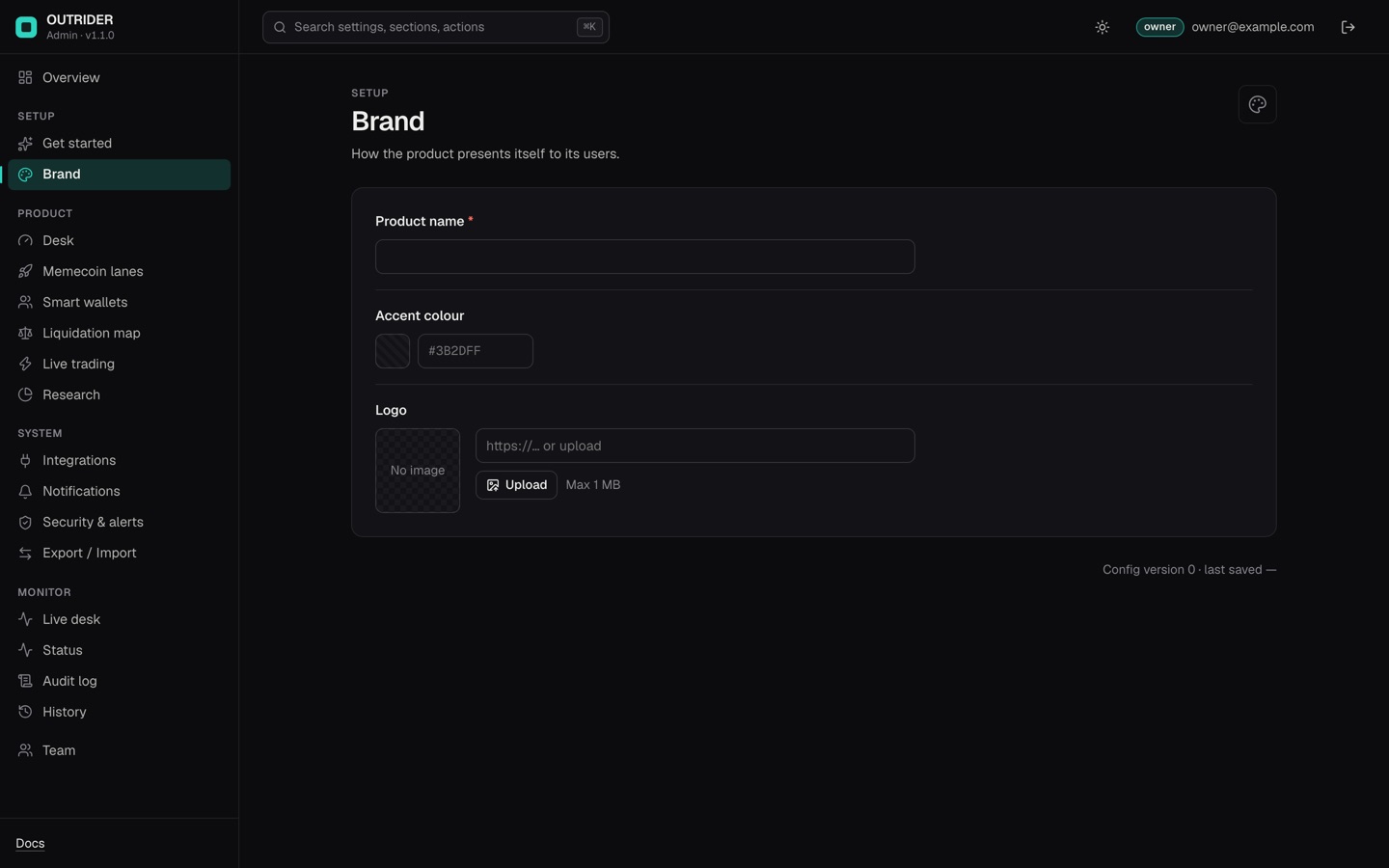
Open the console, then Setup → Brand. Three fields, saved like any other setting and applied to open desks on the next load.
| Field | What it changes |
|---|---|
| Product name | The word in the desk header, the browser tab title (<name> · desk), the header's accessible label, and the first line of the Telegram bot's reply. Setting it also removes the by MIKODES line beside the mark. |
| Accent colour | Replaces --accent in the running page, and the two shades derived from it: a pressed state at 80 % brightness and a 10 % tint for soft backgrounds. Default #2DD4BF. |
| Logo | An image URL or an upload (max 1 MB, stored in the console). It replaces the square mark in the header with a 28 × 28 image. With no logo, the built-in square takes your accent colour and shows the first two letters or digits of your product name. |
The dashboard script src/web/static/js/brand.js reads GET /api/brand and applies the three values (loadBrand()); the console serves them from its own settings (src/web/server.mjs). The Telegram reply header is src/lib/tgbot.mjs, which falls back to MIKODES OUTRIDER when no name is set.
02Where the name and icon are in the source
The console cannot reach these, because they are read before the desk asks the server anything. Change them once and they are yours for every install. None needs a build step: the server re-reads the files, so a reload of the page shows the change.
| What | Where | Why it matters |
|---|---|---|
| Tab title before the brand loads | src/web/index.html, line 8: <title>OUTRIDER · desk</title> | Shown for the fraction of a second before /api/brand answers, and in a bookmark made from a cached page. |
| Favicon | src/web/static/favicon-64.png (a 64 × 64 PNG), linked on line 9 of src/web/index.html | The console's Logo field does not change the favicon. Replace the PNG with your own file of the same name. A new file name in src/web/static/ is served only after a restart, because the server lists that folder at start. |
| The header mark | src/web/index.html, lines 24 to 48: the <a class="mark"> block, its aria-label, the inline SVG and <b>OUTRIDER</b><i>by MIKODES</i> | What a visitor sees before the brand request returns, and what stays if you never set a name in the console. |
Commit the untouched package on its own branch before you change anything, so the next version is a merge rather than a rewrite (how).
03Colours beyond the accent
The desk's palette is a block of CSS variables at the top of src/web/static/app.css (--accent, the up and down colours, the surfaces). The console's accent overrides only --accent and the two shades derived from it; everything else is yours to edit there. Check the result on a dark background before you ship it: the desk has one theme.
04Telegram and alerts
The bot answers under your product name once Brand is set. The bot's @username, its avatar and its description belong to Telegram and are set in BotFather, not here (Telegram alerts).
05Before you show it to anyone
- Product name and accent set in Setup → Brand, and the desk reloaded.
- Logo uploaded, or the built-in square checked against your accent colour.
- Favicon replaced (
src/web/static/favicon-64.png) — the console cannot do this one. - Compiled
<title>and the header mark changed, so nothing says OUTRIDER before the brand loads. - Telegram bot name and avatar set in BotFather, if you use alerts.