
Change it without code
and what still needs a file.
Most day-to-day changes are made in the operator console at /admin: your brand, the mode, the paper bankroll, lanes, limits, keys and your team. This page lists every field the console has, and says honestly what needs config.json, an environment variable, a code edit or a rebuild.
01What you change in the console
Sign in at http://127.0.0.1:8790/admin (or your domain). Managers and owners can change settings; only owners set keys and manage the team. Every save is versioned and written to the audit log.
| Console page | What you can change | When it takes effect |
|---|---|---|
| Brand | Product name, accent colour, logo (upload or URL). | The dashboard on its next load, the console header, and the Telegram reply header. |
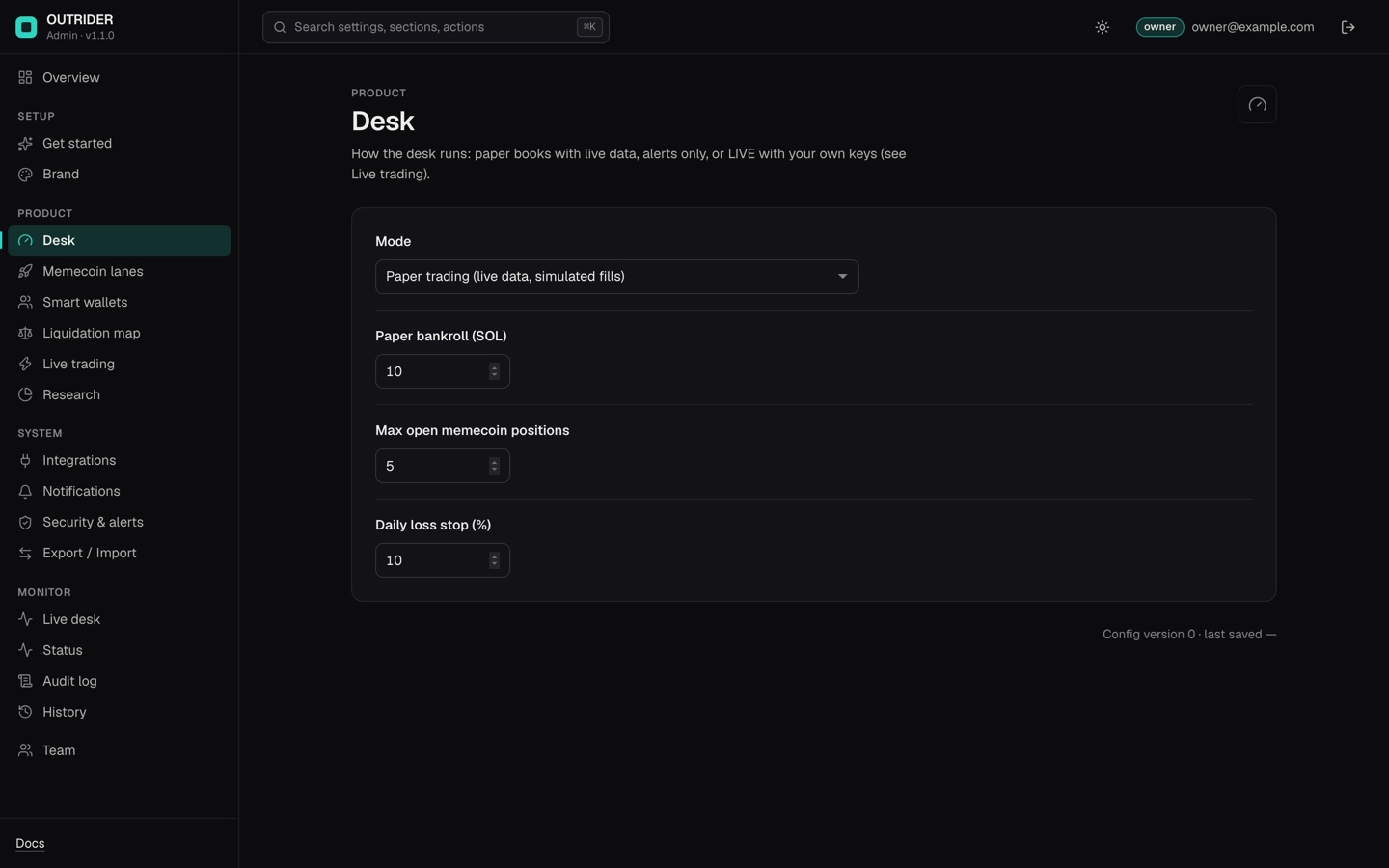
| Desk | Mode (Paper trading, Alerts only, LIVE), paper bankroll in SOL, max open memecoin positions, daily loss stop (%). | Immediately after saving, except a Mode change to or from LIVE, which waits for a restart. |
| Memecoin lanes | Moonshot, Graduation, Revival and Smart money lanes on or off, and each lane's ticket size (0.1–5 % of paper equity). | Immediately |
| Smart wallets | Rounds before a wallet can be smart, minimum mean hold, live candidate feed URLs (https:// only), wallets needed for a consensus. | Immediately |
| Liquidation map | Background refresh on or off, coins, accounts read per refresh, refresh interval, alert distance and minimum cluster size. | Immediately |
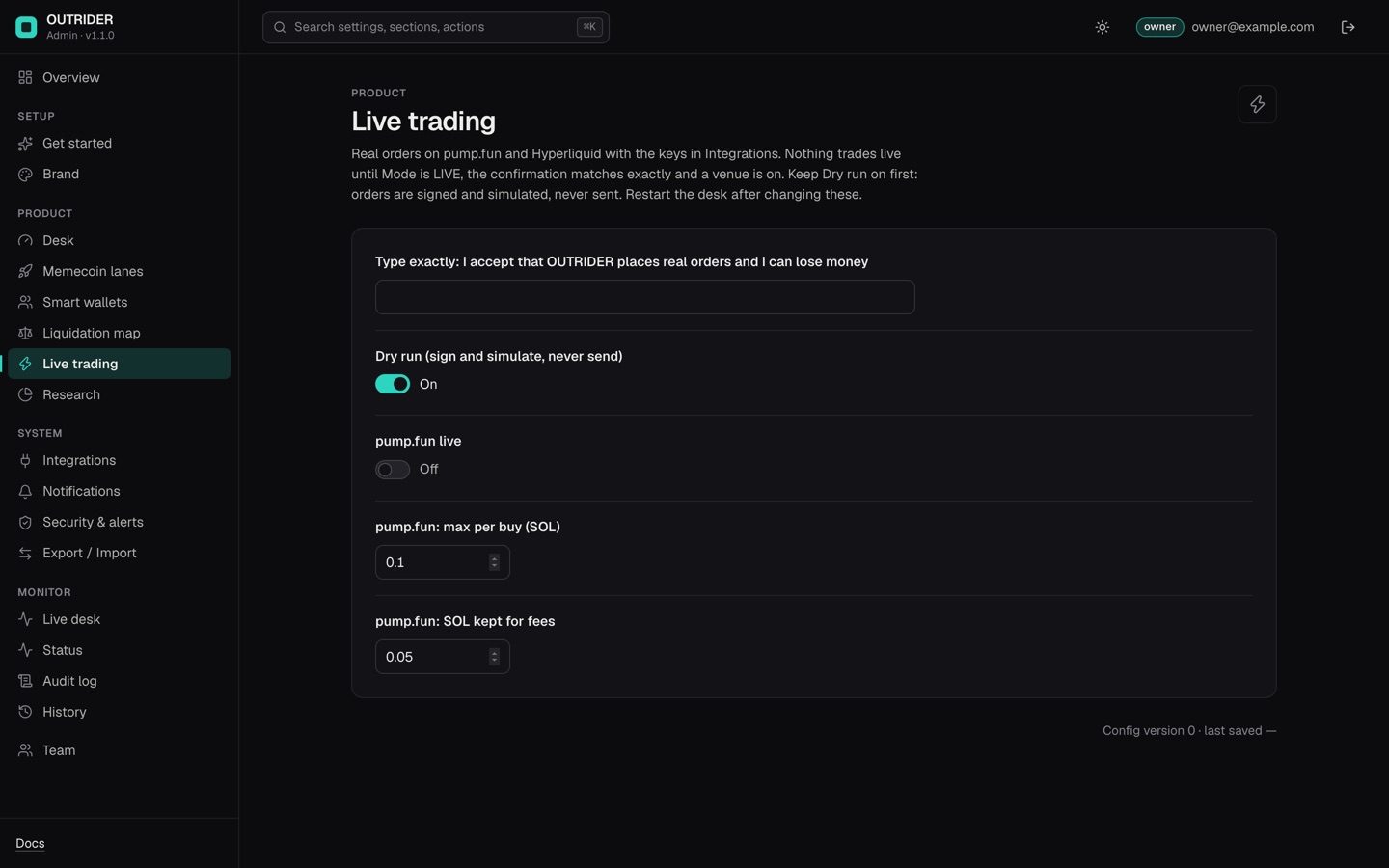
| Live trading | Confirmation sentence, Dry run, pump.fun on or off with its max per buy and fee reserve. With the perps module: Hyperliquid on or off with testnet, max per order and max total exposure. | After a restart (the dashboard shows "restart pending") |
| Research | Background research refresh on or off, wallet-book interval, backtest interval. | Immediately |
| Trend & leverage (perps module) | Leverage profile: safe, growth or aggressive. | Immediately |
| Integrations (owner) | Anthropic key, Telegram bot token, Solana RPC URL, and for live trading the Solana wallet key. With the jev module the TypeSafe key, with the perps module the Hyperliquid API wallet key and account address. Encrypted, write-only (Secrets). | At save; the Telegram command listener and live trading pick up a new key after a restart. |
| Notifications | Webhook URL and signing secret for console alerts. | When you turn on alerts in the console's security settings. |
| Team, Account | Members and roles (owner); your password, two-factor and sessions. | Immediately |
02What needs config.json (no code, a restart)
Everything else is a key in config.json, which you edit with any text editor and apply by restarting the desk (Configuration). The ones operators change most:
- The optional modules:
modules.perps,modules.polymarket,modules.jev(Optional modules). - News feeds (
news.feeds), whale wallets (whales.wallets), and Telegram channel reading (telegram.readChannelsandtelegram.channels, off by default; read this first). - Turning a single book on or off inside a module that is on:
macro,hlcopy,trend,funding,xarb,basis,polymarket,polymm,jev(<book>.enabled). - The EV gate, exposure and cooldown limits, the hard stop, the portfolio gross cap.
- The AI analyst schedule (
analyst.everyHours,analyst.enabled) and the Claude models. - Live details not in the console: slippage (
live.pump.slippagePct,live.hyperliquid.slippagePct), priority fee (live.pump.priorityFeeSol), failures before the kill switch (live.maxFailures). - A separate pump.fun WebSocket URL (
pump.wsUrl) when your provider's is not the HTTP URL withws.
03What needs an environment variable
Set in .env (loaded on start) or in your process manager, then restart: TELEGRAM_CHAT_ID and TELEGRAM_OWNER_ID (not in the console), ADMIN_SECRET_KEY, the dashboard port and host (DASH_PORT, DASH_HOST), DASH_ALLOWED_HOSTS behind a domain, and DASH_TOKEN when the console is off (all variables).
04What needs a code edit
| Change | Where | Rebuild? |
|---|---|---|
| The tab title before the brand loads, the header mark text | src/web/index.html (exact lines) | No build step. The server re-reads the file when it changes; reload the page. |
| Favicon | Replace src/web/static/favicon-64.png with your own 64 × 64 PNG of the same name | No build step; reload the page |
| Dashboard colours beyond the accent | CSS variables at the top of src/web/static/app.css | No build step; reload the page |
| Telegram reply fallback name | src/lib/tgbot.mjs (used only when no Brand name is set) | No; restart the desk |
| The console's own look, texts or layout | packages/admin-kit/ui-src/ | Yes. The console page is a React app: npm run build:ui in the install folder installs its locked dependencies and writes packages/admin-kit/ui/. Not needed for normal use. |
| New strategies, new data sources, new console fields | src/agents/, src/lib/, src/admin/manifest.ts | No build step for the desk (plain JavaScript). A change in src/admin/ needs npm run build and a restart. It is programming work and not covered by item support (developer tools). |
| Bot name, avatar and description in Telegram | @BotFather in Telegram | Not in OUTRIDER at all |