
The dashboard
one page, every book.
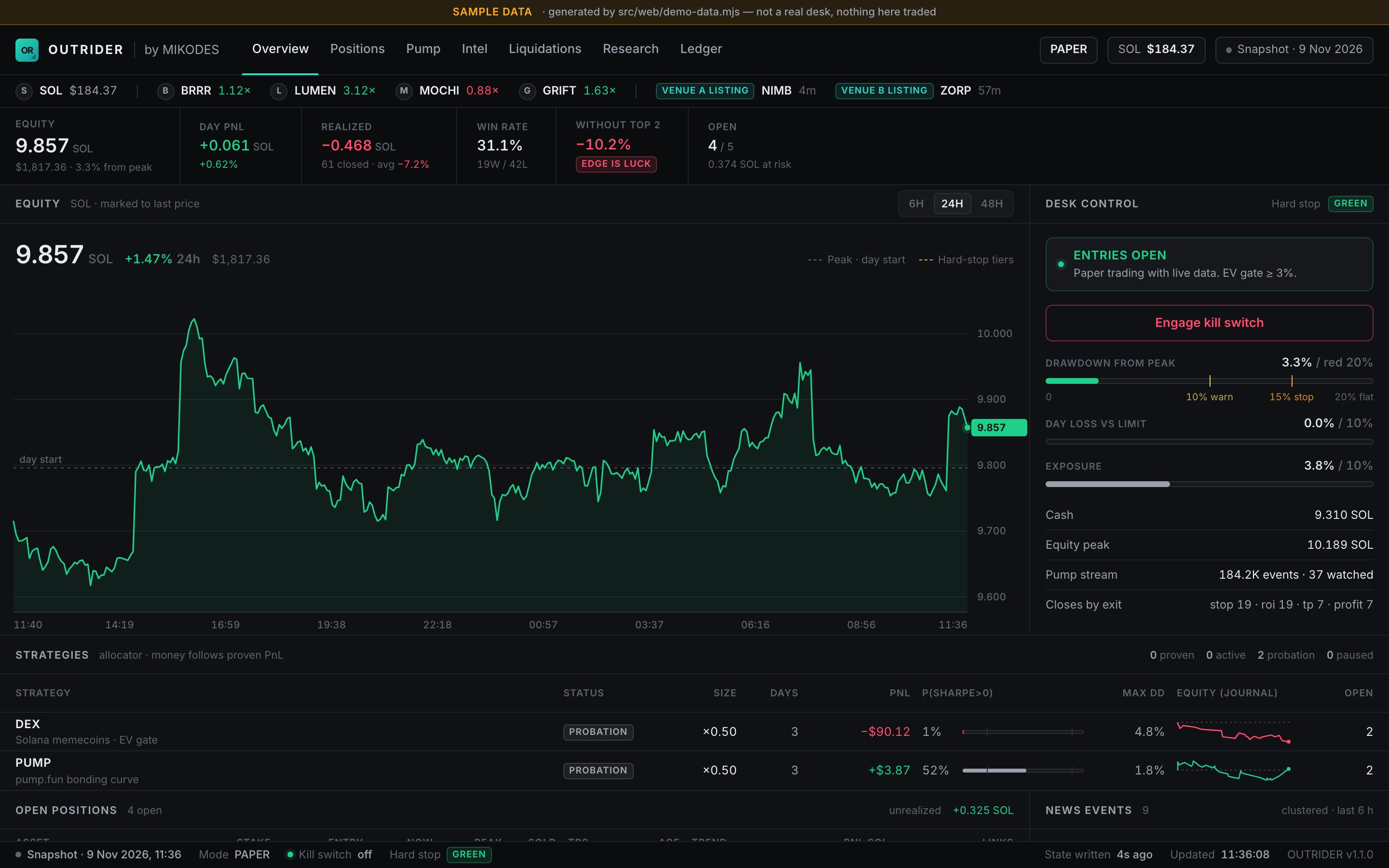
The dashboard shows the paper desk live in seven core sections: equity with hard-stop tiers, the strategies and their allocator status, positions, pump.fun, lanes and smart wallets, the liquidation map, research and the ledger. The optional modules add their own sections. It works on a phone.
01Open it
npm start serves it at http://127.0.0.1:8790 (change the port with DASH_PORT). npm run dash serves the same page without running the desk. Once the console owner exists, you sign in at /admin first; the console's Live desk page shows the same dashboard inside the console.
The page updates live over Server-Sent Events. If the connection is not available it polls every few seconds; the status chip in the header shows Live or Polling (or Connecting, Stale, Offline). The static public demo shows Snapshot · <date> instead and never polls.
02What each section shows
The header has seven links for the memecoin core: Overview, Positions, Pump, Intel, Liquidations, Research and Ledger. They jump to the panes below on the same page.
| Pane | What you see |
|---|---|
| Header and rail | Mode (PAPER or ALERT, or in live mode LIVE · DRY RUN in amber and LIVE in red), SOL price, connection state, and a scrolling rail of open positions and listing events. |
| Desk figures | The strip under the header: equity, day PnL, realised PnL, win rate, result without the top trades ("edge survives" or not) and open positions. |
| Equity (Overview) | Equity in SOL marked to the last price over 6, 24 or 48 hours, with the peak, the day start and the hard-stop tier lines. |
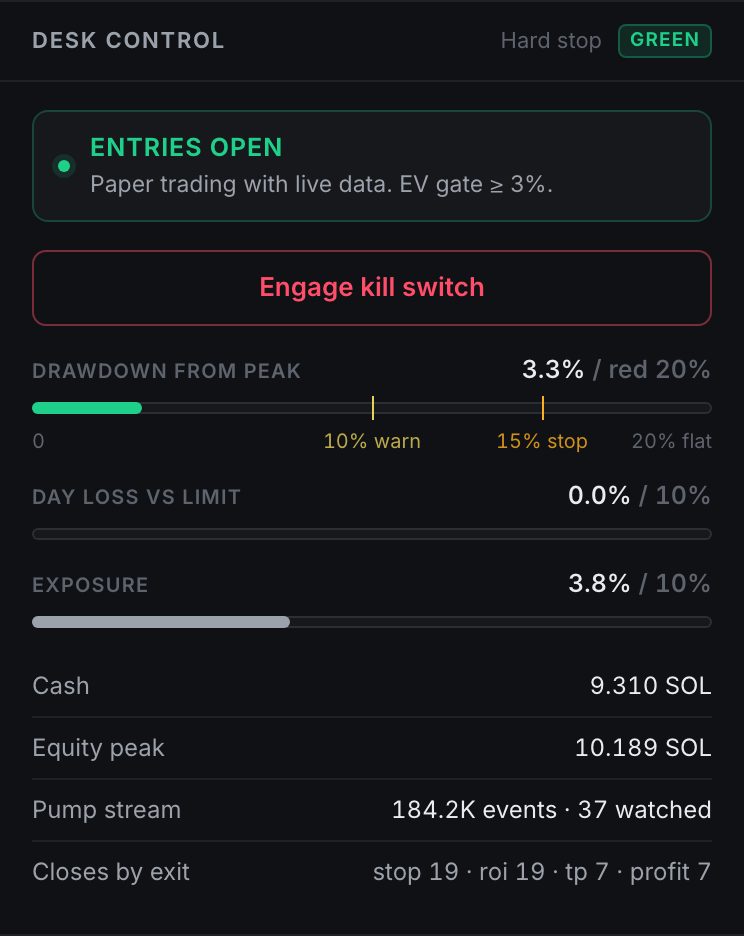
| Desk control | Whether entries are open or what blocks them, the kill switch, drawdown from peak against the tiers, day loss against the limit, exposure, cash, pump.fun stream stats and closes by exit reason. |
| Strategies | Every strategy with its allocator status (probation, active, proven, paused), size multiplier, days, PnL, probability that its Sharpe is above zero, max drawdown, a journal equity sparkline and open positions. |
| Open positions (Positions) | Memecoin positions: stake, entry, now, peak, sold share, take-profits hit, age, trend, PnL, links to pump.fun or DexScreener. |
| Pump.fun live (Pump) | The coins being watched with buyers, net SOL, curve progress and the filter that rejects them, if any. |
| News events | Clustered news of the last 6 hours with coins, direction, strength, credibility and source count. |
| Liquidation map (Liquidations) | The real map per coin with the nearest clusters (details). |
| Graduation alerts | Coins passing 80 % and 95 % of the pump.fun curve. |
| Intel | Pump lanes (per-lane trades, win rate and exit grades) and the smart-wallet list. |
| Research | The research tabs: AI analyst, liquidation strategies, wallets, copy-trade test, wallet sources, memecoin lanes and liquidation history (Research & analytics). |
| Ledger | The journal: buys, sells, closes, skips and errors, filterable by tab (Trades, Signals, Skips, Live, Errors, All). |
Sections of the optional modules
These appear only while their module is on in config.json (Optional modules). While it is off, their header links, figures, strategy rows, research tabs and ledger rows are hidden too.
| Section | Module | What you see |
|---|---|---|
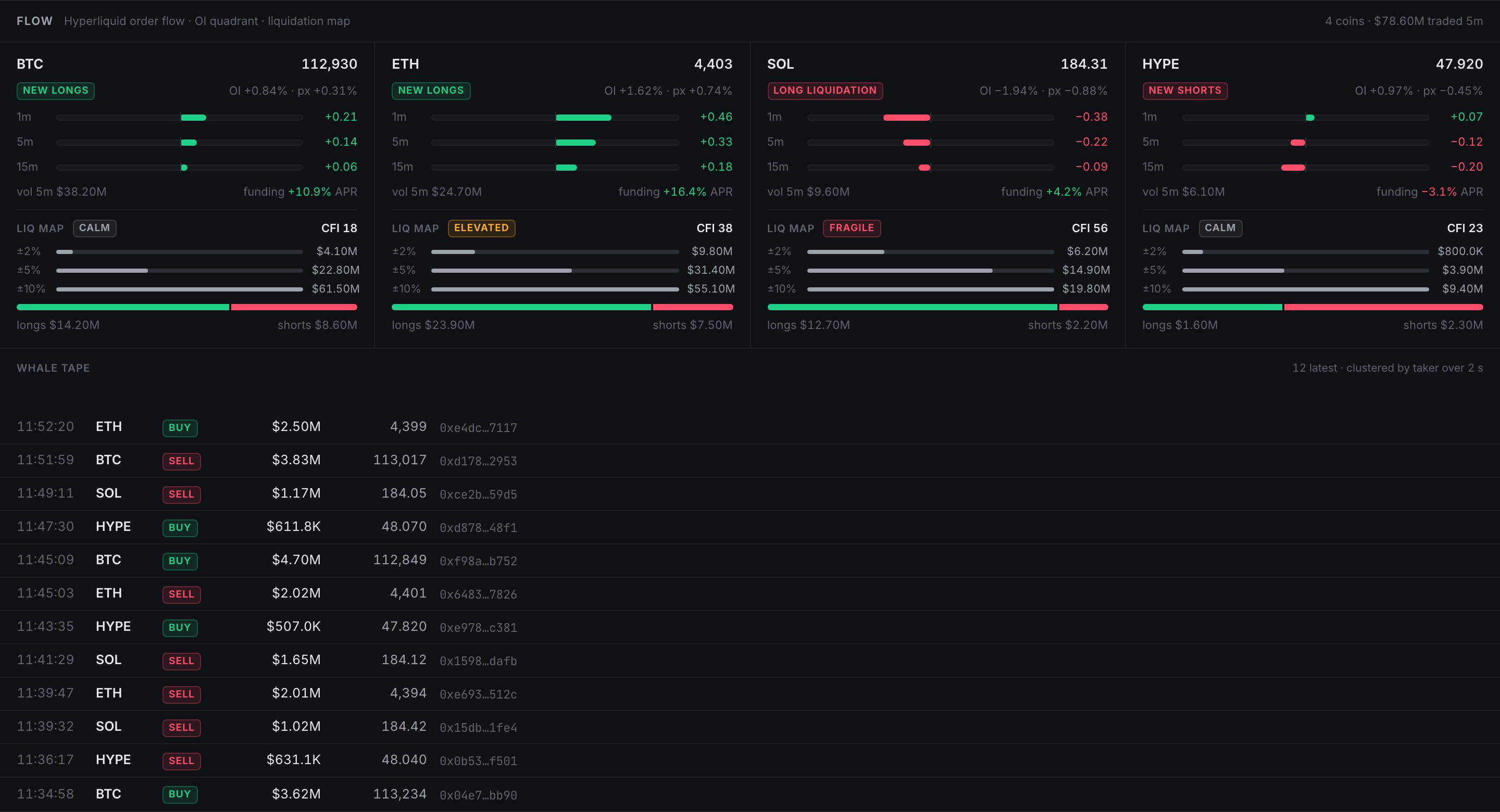
| Flow | perps | Hyperliquid order-flow imbalance over 1/5/15 minutes, the OI/price quadrant, funding, a small liquidation gauge per coin, and a whale tape. |
| Books | perps | Trend, funding arbitrage and HIP-3 basis books. |
| Perps (Hyperliquid, HL leaders) | perps | News perps, copy positions, carry, and the scored leaderboard wallets; the HL copy, Carry and News perps figures; the Trend vs BTC research tab. |
| Jev | jev | The Jev forecaster against its control arms: Brier score, skill, AUC, reliability and the promotion checklist. |
| PolyMM (Polymarket MM) | polymarket | The paper market-making book on Polymarket liquidity rewards. |

03Kill switch and hard stop
The kill switch is the file data/STOP. While it exists, the desk opens nothing new in any book; exits, stops and take-profits keep running on open positions.
| Turn it on | Turn it off |
|---|---|
| Dashboard: Engage kill switch (manager or owner) Telegram: /stopTerminal: touch data/STOP | Dashboard: Resume entries (manager or owner) Telegram: /resumeTerminal: rm data/STOP |
The hard stop watches the drawdown from the equity peak (default red level 20 %, protections.hardStop.redPct):
- Yellow at half the red level: a warning.
- Orange at three quarters: no new entries.
- Red: everything is sold,
data/STOPis written and the red state latches. A person resets it by removingdata/STOP; the equity peak is then re-based to the current equity.
Other things that block entries: the daily loss limit (until the next day), the stoploss guard and drawdown lock protections, and, with the perps module, the portfolio gross cap for perp books. Desk control always names the reason.
04On a phone
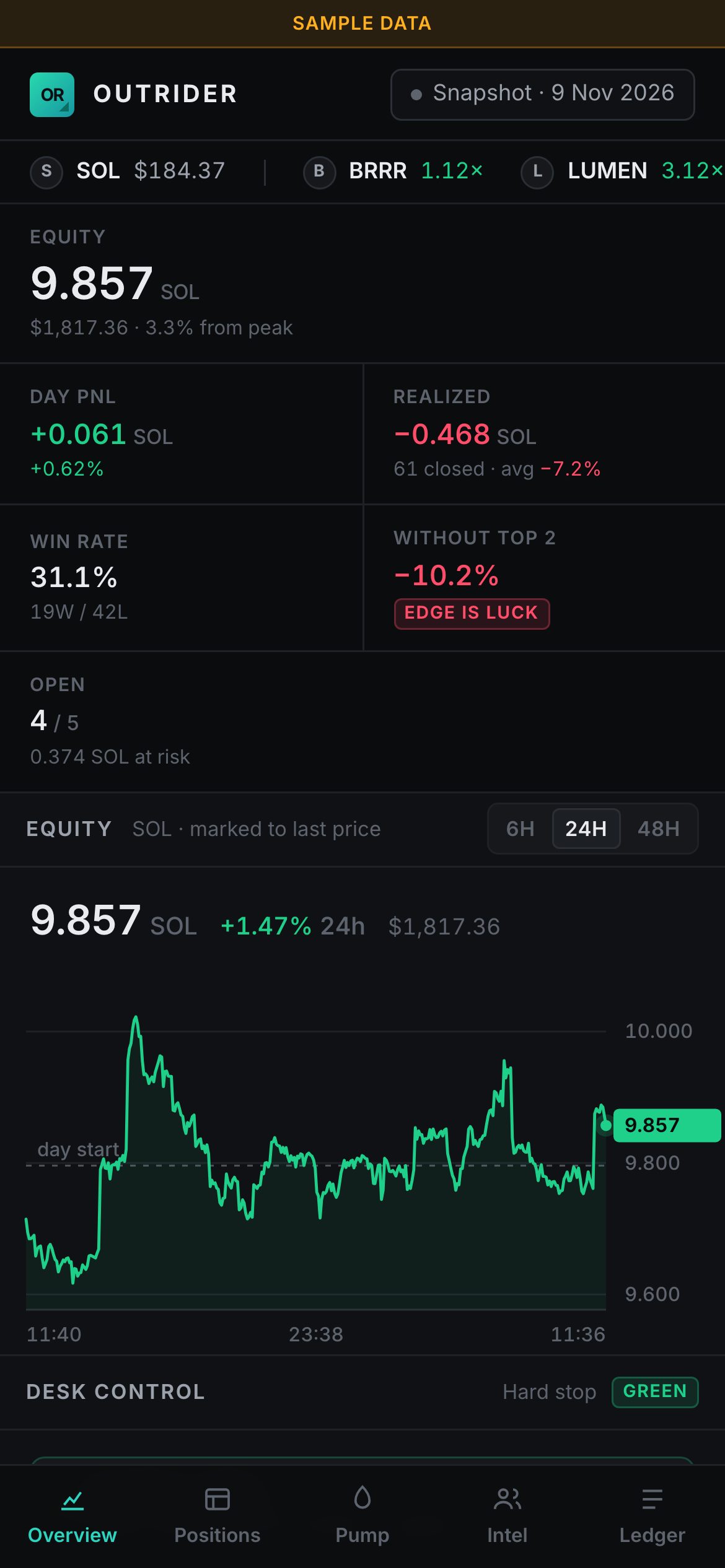
The page switches to a single column with a bottom navigation bar. Everything else works the same.
05Sample data
To look at the page before your desk has any history:
node src/web/demo-data.mjs /tmp/desk-demo --serve 8791It writes a plausible two-day paper desk into /tmp/desk-demo, serves it on port 8791 and animates prices and journal rows. The page shows a yellow Sample data banner. Nothing in it is real or traded.